
Future-Proof Your Career: AI Tips and Prompts Every Professional Must Know


The future of work isn't coming—it's already here. From marketing and finance to the public sector and healthcare, Artificial intelligence is reshaping how professionals think, work, and grow. With worldwide AI spending projected to reach $1.5 trillion in 2025, its integration is no longer a question of 'if' but 'how effectively'. If you want to stay relevant, competitive, and confident, learning to future-proof your career with AI tips and prompts is no longer optional.
This guide is designed for real professionals—not coders or data scientists—who want practical, proven ways to use AI in their daily work. A recent report from Stanford's Institute for Human-Centered AI found that 78% of organizations are using AI in at least one business function, a stark indicator of its rapid adoption. You'll discover how the latest AI system is changing careers, which skills matter most, and how smart AI Prompts can multiply your productivity. Whether you're a student, employee, freelancer, or business owner, this article will help you stay ahead in an AI-first world.
1. What Does “Future-Proof Your Career” Really Mean?
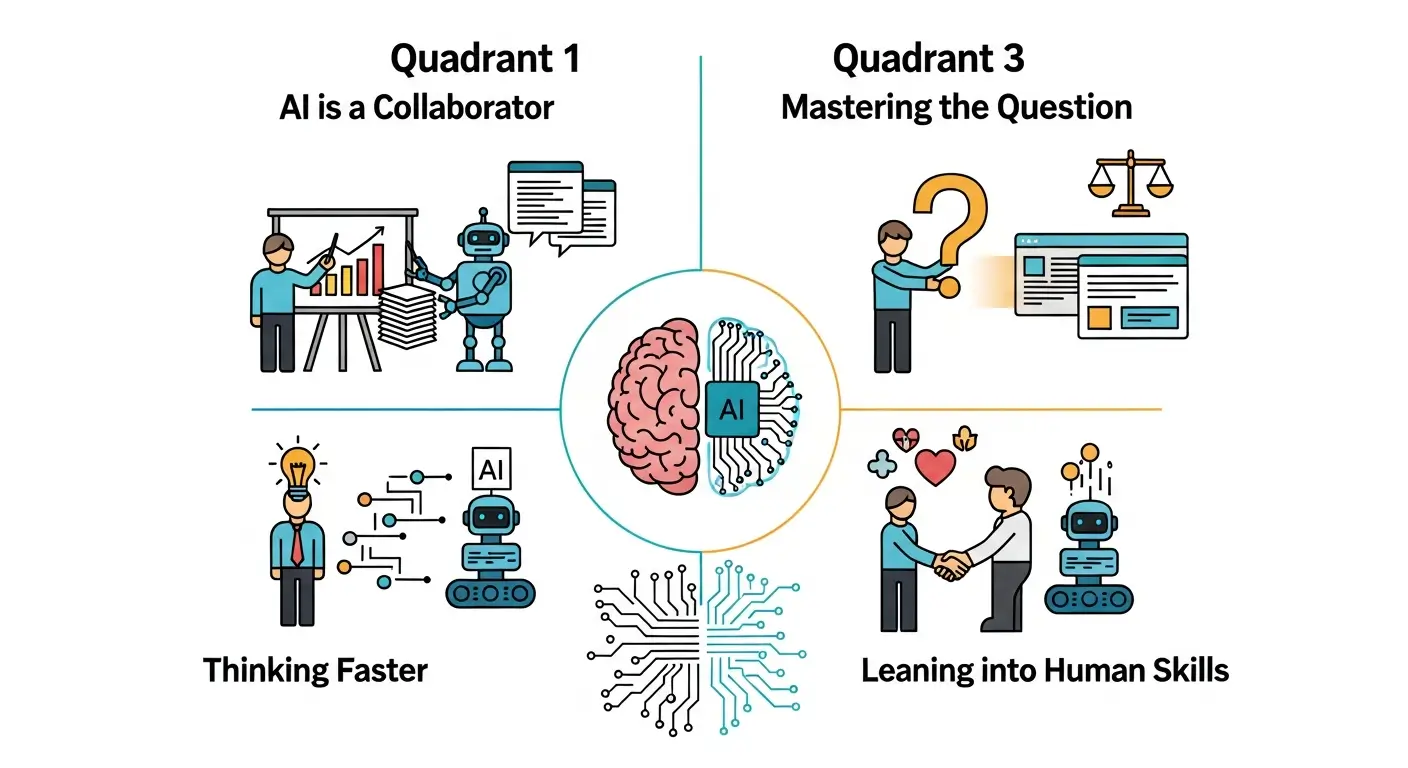
Future-proofing your career means creating a partnership between irreplaceable human skills and powerful AI augmentation.
To future-proof your career means building a resilient skill set that remains valuable even as technology and markets evolve at an unprecedented pace. It’s less about chasing every new AI tool and more about cultivating deep-seated adaptability. It's about shifting your mindset from completing tasks to solving problems with a powerful new partner.
In the era of generative AI, future-proofing means:
- Understanding AI as a Collaborator: Recognizing how Artificial intelligence systems can augment your work, handling repetitive tasks and providing initial drafts so you can focus on strategy, creativity, and critical decision-making.
- Mastering the Art of the Question: Learning how to ask precise, context-rich questions (prompts) to guide AI toward the most useful and accurate outputs.
- Thinking Faster, Not Lazier: Using AI to accelerate brainstorming, research, and data analysis, which allows you to explore more possibilities and make more informed decisions in less time.
- Leaning into Human-Centric Skills: Doubling down on empathy, strategic thinking, ethical judgment, and complex problem-solving—the very skills that AI cannot replicate.
The need for this adaptation is urgent. The World Economic Forum projects that 44% of workers' core skills will be disrupted by 2027. Professionals who embrace AI and learn to work alongside it will not just survive this shift; they will lead it.
2. Why AI Skills Matter More Than Job Titles
Job titles are fleeting labels that describe a role at a specific point in time. Skills are the durable currency of your career. As Artificial intelligence becomes more integrated into the workplace, it begins to flatten traditional hierarchies and blur the lines between roles. The value you provide is no longer defined by your title but by your ability to leverage technology to achieve outcomes.
A single marketer with advanced prompt engineering skills can develop and test social media campaigns faster than a larger, less-equipped team. An educator using generative AI tools can create personalized learning paths for hundreds of students, a task once deemed impossible. What truly matters in this new landscape are foundational competencies that amplify your impact, regardless of your official title:
- AI Literacy: A fundamental understanding of what AI is, its capabilities, and its limitations. This includes knowing which AI model is best suited for a particular task.
- Critical Thinking: The ability to evaluate AI-generated content for accuracy, bias, and relevance.
- Strategic Decision-Making: Using AI-driven insights to inform better business strategies and professional choices.
- Effective Communication: The skill of translating complex goals into clear, actionable prompts for an AI and interpreting its output for human stakeholders.
Learning the AI tips and prompts every professional must know provides you with a universal toolkit, giving you leverage and mobility across any industry you choose.
3. How AI Is Changing Professional Careers
Generative artificial intelligence is not replacing professionals; it is systematically replacing inefficient, tedious, and time-consuming workflows. It acts as an accelerator, freeing up human talent to focus on higher-value activities that require creativity, strategic insight, and emotional intelligence. The transformation is profound and is already underway across all knowledge-based roles.
Here’s a more detailed look at how this shift is playing out:
Area | Before AI | After AI |
|---|---|---|
Research & Analysis | Hours spent manually sifting through documents. | Instant synthesis of vast information, identification of performance trends and generation of an initial impact report |
Content Creation | Staring at a blank page, struggling with writer's block. | AI-assisted first drafts, content repurposing, and idea generation for anything from a blog post to a university department newsletter. |
Data Analysis | Complex spreadsheet formulas and manual data cleaning. | Conversational AI that provides smart insights, visualizes data, and explains complex correlations in plain language. |
Learning & Development | Standardized, one-size-fits-all courses. | Personalized AI tutors, customized learning paths, and on-demand skill-building exercises. |
A McKinsey report estimates that AI can increase productivity by 20–40% in knowledge-centric roles. This isn’t just about working faster; it's about working smarter and achieving a higher quality of output by letting the machine handle the mechanics while you steer the strategy.
4. The Core AI Skills Every Professional Must Learn
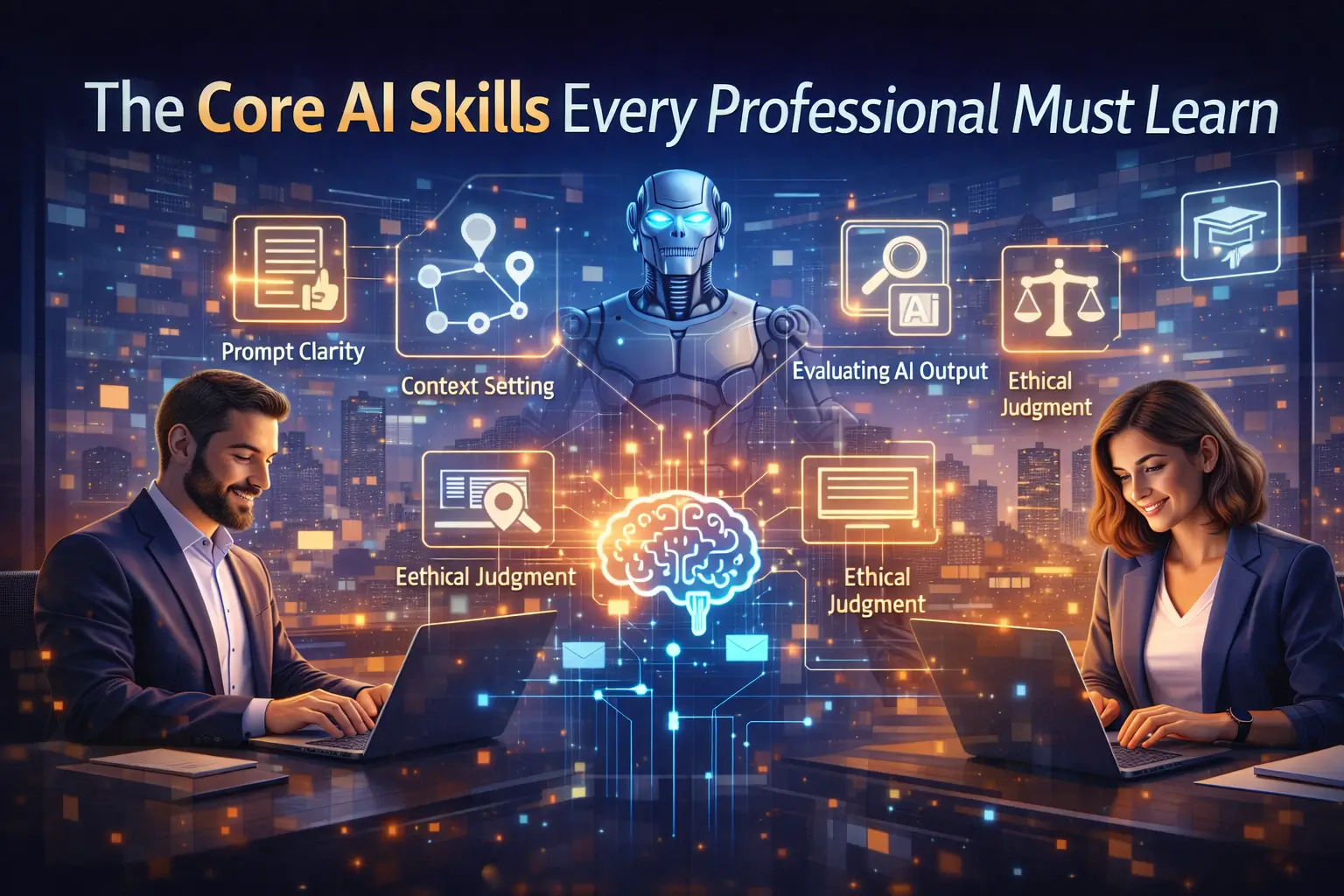
You do not need to become a programmer or a data scientist to thrive in the AI era. The most critical skill is learning how to communicate your intent effectively to an AI system. This is the essence of Prompt Engineering, a discipline that some have called "AI whispering" or, more accurately, "programming in English prose."
Think of a powerful AI model like Google Gemini or OpenAI's GPT models as an incredibly knowledgeable and capable, yet literal-minded, junior assistant. It needs clear direction to perform at its best. The core skills for providing that direction include:
- Prompt Clarity & Crafting: The ability to write clear, unambiguous instructions. This involves mastering prompt design techniques to articulate exactly what you need.
- Context Setting: Providing the AI with the necessary background, audience, goals, and constraints to frame its response appropriately. This is a critical part of prompt crafting.
- Output Evaluation: Critically assessing AI-generated content for factual accuracy, tone, and potential biases. This requires strong information literacy.
- Ethical Judgment: Understanding the ethical implications of using AI, including copyright concerns and data privacy, and applying this knowledge to your work.
- Iterative Refinement: Treating your interaction with AI as a conversation. You must be ableto refine and adjust your prompts based on the initial output to guide the AI toward the desired result.
Mastering these skills transforms AI from a novelty into a powerful, reliable professional tool.
5. Understanding AI Prompts (Without Technical Jargon)
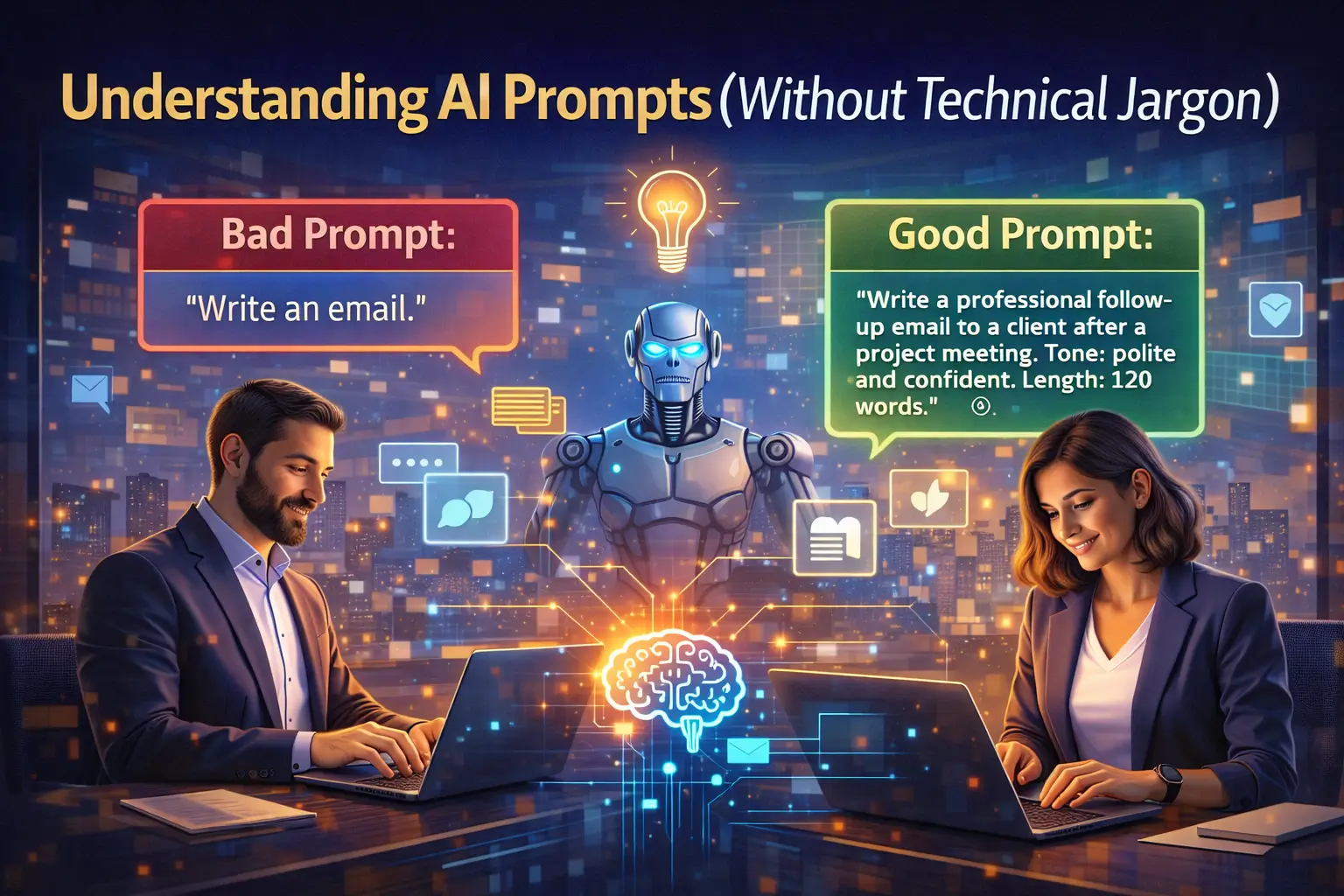
At its simplest, a prompt is an instruction you give to a generative AI tool. It is the bridge between your intention and the AI’s action. While asking a question is a start, effective prompt writing goes far beyond that. It is the foundational skill of Prompt Engineering, the art and science of designing inputs that guide Large Language Models (LLMs) to produce optimal outputs. These language models are powered by complex machine learning and training algorithms, but you interact with them through simple text.
The difference between a weak prompt and a strong one is the difference between a vague, unhelpful response and a detailed, actionable solution.
Bad prompt:
"Write about an apple pie recipe."
This is vague and gives the AI model no direction. It might produce a generic recipe, a history of apple pie, or a poem.
Good prompt:
"Act as a professional pastry chef creating an instructional guide for beginners. Write a classic American apple pie recipe suitable for a holiday gathering. The tone should be encouraging and easy to follow. Include a list of ingredients, step-by-step reasoning for each part of the process (like why chilling the dough is important), and tips for achieving a flaky crust."
This clear prompt provides a role, audience, tone, format, and specific constraints, resulting in a far more useful output. Mastering AI Prompts is one of the most important steps you can take to future-proof your career.
6. High-Impact AI Tips for Everyday Professionals
Moving from a basic user to a power user of AI requires adopting a few strategic habits. These prompting tips are designed to help you get more value from every interaction with an AI tool, whether it's Microsoft CoPilot in the Bing Sidebar or a specialized platform like Vertex AI.
- Always Provide Context and Constraints: Never assume the AI knows your goal. Start prompts by defining the role it should play ("Act as a financial analyst"), the target audience ("Explain this to a non-technical executive"), and the goal ("The objective is to secure funding"). Setting these context and constraints is the biggest prompt secret to getting better results.
- Use a Structured Framework: Instead of guessing, use a proven method like the CLEAR framework for structuring your prompts:
- Context: Provide background and the "why."
- Logic: If reasoning is needed, ask for step-by-step reasoning using techniques like Chain of Thought prompting.
- Example: Give it a model of the desired output.
- Audience: Define who the output is for.
- Role: Assign the AI a persona, like a marketing expert or a supportive personal trainer.
- Ask for Explanations, Not Just Answers: Instead of asking "What is the answer?" ask, "Explain the reasoning behind this solution." This encourages the AI to reveal its logical process, making it easier for you to verify its accuracy and learn from its method.
- Treat AI as a Thinking Partner: Use it for brainstorming, debating ideas, and exploring counterarguments. Prompt it with, "What are the potential weaknesses of this plan?" or "Act as Albert Einstein and critique this theory."
- Build a Prompt Library: When you craft a prompt that delivers exceptional results, save it. Over time, you can build a personal library of effective prompts for recurring tasks, from writing a university department newsletter to summarizing research papers. This practice is key to prompt optimization.
7. AI Prompts for Productivity and Time Management
One of the most immediate benefits of integrating an AI assistant into your workflow is the ability to reclaim your time and focus. By offloading administrative and organizational tasks, you can dedicate more energy to strategic and creative work. Effective prompt crafting is essential to unlocking these productivity gains.
Here are some powerful examples of prompts for enhancing productivity:
- Meeting and Communication Management:
- "I've uploaded a meeting transcript. Summarize the key decisions, identify all action items with assigned owners and deadlines, and draft a follow-up email to all attendees." This makes use of file uploads capabilities in tools like Google Gemini.
- "My inbox has 50 unread emails. Categorize them by urgency (High, Medium, Low) and sentiment (Positive, Neutral, Negative), then draft a one-sentence summary for each high-urgency email."
- Task and Project Planning:
- "Act as an expert project manager. Create a detailed project plan for launching a new website in three months. Break it down into phases, key tasks, dependencies, and estimated timelines. Present it in a markdown table."
- "Analyze my task list for today and suggest a prioritized schedule based on the Eisenhower Matrix (Urgent/Important). I have 4 hours of deep work time available."
- Workflow Automation Ideas:
- "My role involves frequent data analysis of sales reports and creating weekly presentations. Suggest three ways I can use AI to automate or streamline this workflow."
Professionals leveraging AI for time management often report significant reductions in administrative burden and cognitive load, leading to improved focus and lower burnout rates.
8. AI Prompts for Career Growth and Skill Building
Your personal AI assistant can also function as a dedicated career coach, mentor, and tutor available 24/7. By using strategic prompts, you can identify skill gaps, prepare for new opportunities, and build a continuous learning habit directly into your routine. This is a powerful and cost-effective way to invest in your professional development.
Consider these career-focused prompts:
- Skill Assessment and Development:
- "Act as a career counselor. My current role is [Your Role], and my skills include [List 3-5 key skills]. Based on current market trends, identify three future-proof skills I should learn in the next year. Create a 90-day learning roadmap for the most critical skill, including recommended resources like articles, video tutorials, and online courses."
- Interview and Negotiation Practice:
- "I am preparing for an interview for a [Job Title] role. Let's do a mock interview. You will act as the hiring manager. Ask me five common behavioral questions and three technical questions related to this role. After each of my answers, provide constructive feedback."
- Leadership and Communication Coaching:
- "Act as an executive coach like Oprah Winfrey. I need to give difficult feedback to a team member about their performance. Help me draft talking points that are clear, constructive, and empathetic."
By leveraging AI for personal growth, you take control of your career trajectory, turning a powerful technology into a partner for advancement.
9. AI Tips for Knowledge Workers and Office Roles
For professionals in roles centered around information management—analysts, managers, researchers, and administrators—AI offers transformative potential. Integrated tools like Microsoft CoPilot and dedicated platforms such as Vertex AI can dramatically enhance efficiency in handling data, creating reports, and communicating complex ideas. The key is to direct these tools with precision.
Here are specific tips and prompts for office professionals:
- Simplify Complex Information: Use AI to distill dense documents into digestible summaries. This improves information literacy across your organization.
- Example Prompt: "Summarize this 10-page impact report into a five-bullet-point executive summary. The target audience is our board of directors, who are short on time and need to grasp the key strategic takeaways immediately."
- Accelerate Data Analysis: Leverage AI to quickly identify patterns and insights from datasets without needing advanced statistical skills.
- Example Prompt: "I have uploaded a CSV file of customer feedback. Perform a sentiment analysis, identify the top three most common complaints, and suggest one strategic recommendation for each."
- Streamline Internal Operations: Many organizations are implementing internal AI Assist solutions, such as the OneIT Service Desk, to handle common queries. Understanding how to prompt these systems effectively improves workflow for everyone.
- Example Prompt: "Generate a step-by-step instructional guide for new employees on how to request IT support through our internal AI Assist portal, including screenshots."
By adopting these practices, knowledge workers can shift their focus from information processing to strategic insight generation.
10. AI Tips for Creators, Marketers, and Writers
For creative professionals, generative AI is not a threat to creativity but a powerful catalyst. It accelerates the entire content creation lifecycle, from initial ideation to final optimization. When used strategically, generative AI tools can help you produce higher-quality work more efficiently and connect with your audience more effectively.
Smart AI uses for creatives include:
- Audience-Centric Ideation: Move beyond generic brainstorming by grounding ideas in audience needs.
- Example Prompt: "Act as a senior content strategist. Our target audience is small business owners struggling with digital marketing. Generate 10 blog post ideas that address their biggest pain points. For each idea, suggest a compelling headline and relevant search keywords."
- Drafting and Expansion: Overcome writer's block by having AI generate a solid first draft or expand on a brief idea.
- Example Prompt: "I need to write a 500-word email for our upcoming product launch. The product is [Product Name], and its key benefit is [Benefit]. The tone should be exciting and urgent. Write a first draft based on this."
- Campaign Development: Use AI to structure and populate entire marketing campaigns.
- Example Prompt: "Develop a 3-week content plan for our social media campaigns on Instagram and LinkedIn to promote our upcoming webinar. Suggest daily post themes, image ideas, and calls to action."
Professionals who skillfully blend their creative intuition with the computational power of AI consistently outperform competitors by delivering more relevant and engaging AI-generated content at scale.
11. AI Tips for Students and Early-Career Professionals
If you are a student or just starting your career, developing strong AI literacy is no longer an advantage—it's a baseline expectation. Learning to use AI effectively is one of the most significant investments you can make in your future success. Institutions from Harvard College to the University of Michigan - Flint are actively exploring how to integrate these tools into their curricula, and their University Libraries often provide resources.
Use AI to accelerate your learning and build your skills:
- Deepen Understanding of Complex Topics:
- Example Prompt: "Explain the concept of natural language processing to me as if I were a high school student. Use an analogy to make it easier to understand and provide a real-world example."
- Improve Writing and Communication:
- Example Prompt: "Review this essay I've written. Check for clarity, conciseness, and grammatical errors. Provide suggestions for strengthening my main argument."
- Practice and Prepare:
- Example Prompt: "I have a final exam in microeconomics. Create a 10-question quiz on the topic of supply and demand elasticity to help me study."
A crucial reminder: the goal is to use AI to learn, not to cheat. Employers and educators value your ability to think critically and solve problems. Use AI as a tool to enhance that ability, not as a shortcut to avoid it.
12. Ethical AI Use and Professional Trust
In a professional landscape increasingly reliant on technology, trust remains your most valuable asset. The power of generative AI tools comes with a profound responsibility to use them ethically and transparently. Missteps can damage your reputation, compromise sensitive information, and erode the trust of clients and colleagues.
Responsible AI use is non-negotiable and requires a commitment to these principles:
- Verify, Then Trust: Always treat AI-generated content as a first draft. You are responsible for verifying its factual accuracy. LLMs can "hallucinate" or confidently state incorrect information due to data gaps in their training.
- Respect Intellectual Property: Be mindful of copyright concerns. Do not use AI to plagiarize or generate content that infringes on existing creative works. Many tools are now implementing features to cite sources, but the ultimate responsibility is yours.
- Disclose When Appropriate: Transparency is key. In academic, journalistic, or client-facing work, disclose your use of AI according to your organization's policies or professional standards.
- Protect Sensitive Data: Never input confidential, proprietary, or personally identifiable information into public AI models. Use enterprise-grade, secure AI system solutions for any work involving sensitive data.
Leading developers like Google and OpenAI, whose OpenAI Documentation provides usage guidelines, emphasize that human oversight is essential for safe and effective AI deployment.
13. Real-World Examples of AI Career Success
The professionals who are succeeding with AI aren't necessarily the most technical; they are the most strategic. They identify high-leverage opportunities in their workflows and apply the right AI tool with well-crafted prompts to achieve specific business outcomes.
Here are a few anonymized but realistic scenarios:
- A customer service manager at a retail company used Salesforce AI to analyze thousands of customer service interactions. By prompting the AI system to identify the root causes of common complaints, she developed a targeted training program that reduced negative escalations by 30% and improved team morale.
- An urban planner in the public sector was tasked with a community needs assessment. Using a combination of demographic data and AI-generated content from public forums, she prompted an AI to identify key themes and concerns, allowing her team to draft a more responsive and data-driven proposal in half the time.
- A freelance writer doubled their income in six months. They used AI for initial research, creating outlines, and optimizing articles for search keywords. This allowed them to take on more projects while delivering higher-quality, better-performing content to their clients, proving the power of individual prompt engineering skills.
These professionals did not fear that AI would take their jobs. Instead, they mastered it as a tool to amplify their unique human skills and deliver exceptional results.
14. Common AI Mistakes That Hurt Careers
While AI offers immense potential, misusing it can be detrimental to your professional standing. The most common mistakes stem not from the technology itself, but from a flawed human approach to using it. Avoiding these pitfalls is crucial for long-term success.
Steer clear of these career-damaging habits:
- Blindly Trusting AI Outputs: The most dangerous mistake is accepting AI-generated content without critical review. This can lead to spreading misinformation, making poor decisions based on flawed data, and damaging your credibility.
- Using Generic, Low-Effort Prompts: Vague prompts like "write a marketing plan" will yield generic, uninspired results. This lazy approach signals a lack of strategic thinking and produces subpar work.
- Over-automating Without Human Judgment: Automating tasks is efficient, but automating decisions that require nuance, empathy, or ethical consideration is reckless. Knowing where to draw the line between AI assistance and human oversight is a critical skill.
- Ignoring Essential Human Skills: Becoming overly reliant on AI for communication, problem-solving, and creativity can cause your own core skills to atrophy. The goal is augmentation, not replacement.
AI is a powerful enhancer for a competent professional; it is not a substitute for responsibility, diligence, or critical thought.
15. How to Build an AI-Ready Career Roadmap
Becoming proficient with AI is a journey, not a destination. The field is in a state of active research and constant evolution. Building a simple, consistent roadmap for learning and adaptation will ensure your skills remain current and valuable.
Follow this straightforward, five-step roadmap:
- Learn the Fundamentals (Weekly): Dedicate one hour per week to building your AI literacy. Read articles, watch video tutorials, or follow a credible prompt influencer to understand the basic concepts, such as the difference between various GPT models or the strengths of Google Gemini vs. Microsoft CoPilot.
- Master Prompting (Daily): The best way to improve your prompt engineering skills is through daily practice. Choose one small task each day to accomplish with an AI's help. Experiment with different prompt design techniques and see how they change the output type.
- Apply to a Core Workflow (Monthly): Each month, identify one significant part of your job—like preparing a weekly report or planning a project—and strategically integrate an AI tool to improve it.
- Review and Refine (Quarterly): Every quarter, assess what’s working and what isn’t. Are there new tools you should explore? Are your prompts becoming more effective? Check sources like the OpenAI Documentation for new features.
- Stay Updated on Trends: Keep an eye